Half-Day Rental Buffer Time
Parks & Rec > Rental Item > Create (or Serach > Edit)
A Buffer Time field has been added to the Rental Item Details page for Half-Day rental types:
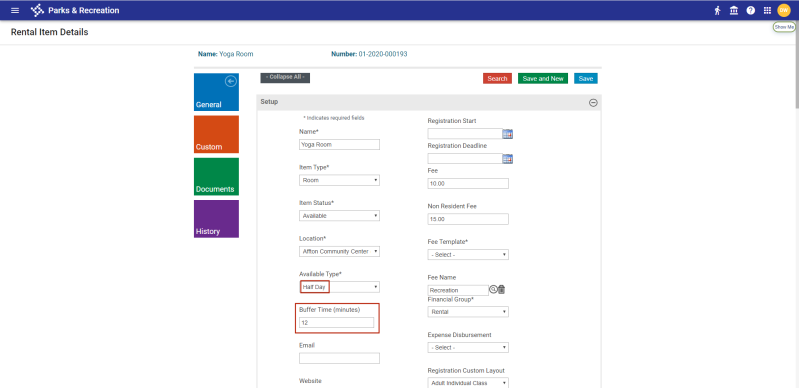
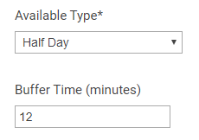
Selecting Half-Day as the Available Type displays a Buffer Time (minutes) field. The buffer time must be an even number of minutes:
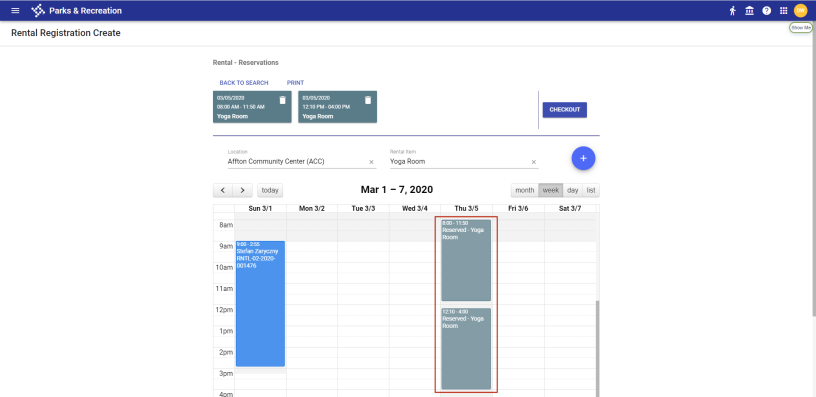
The time selected is blocked off and split between the first and second half-day available hours. As the rental calendar below shows, if the available hours for rental are 8:00 a.m. to 4:00 p.m., the buffer time for a half-day rental is 20 minutes and two rentals are scheduled for the day, the first half-day rental runs from 8:00 to 11:50 a.m., followed by a 20-minute buffer, and the second half-day rental runs from 12:10 to 4:00 p.m.: