Rental Registration Approvals
Parks & Rec > Rental Registration > Approvals
Rental registrations for facilities or items that require an approval are displayed on the Rental Registration Approvals page. Newly-created rental registrations that require approval are set automatically to an Approval Status of Pending. An approval is required for a rental when the Require Approval check box is selected in the Rental Item record for a facility or item.
To make rentals that require approval available on the citizen portal, the Allow Invoicing On Portal option also must be enabled in Portal Settings.
Selecting the Show Unassigned Only option in the search criteria limits search results to rental registrations that require approval but to which an approver has not been assigned.
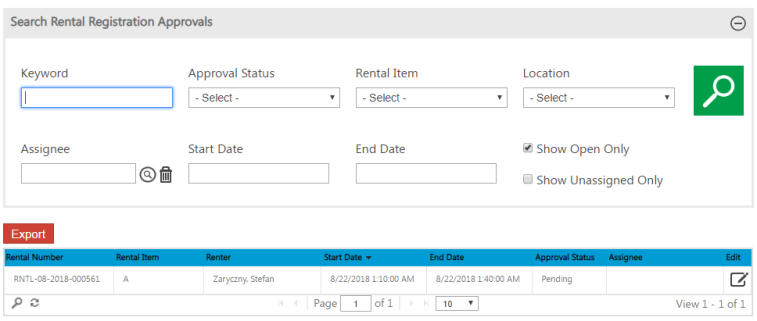
Clicking the Edit icon for an individual rental registration opens the Rental Registration Details page. The Approvals section of the page lets staff members manage the approval process for the rental reservation.
An authorized administrator may assign the approval process to the appropriate staff member, who may approve or reject the reservation using the Approval Status field.