Rental Registration Add Payer
Parks & Rec > Rental Registration > Create
Selecting a Payer is the last step of the rental registration create process. This step also displays the registration date and provides a CREATE button if you need to add a contact to the system and select that person as the payer.

 How the CREATE button works
Clicking the CREATE button opens the Create Contact dialog:
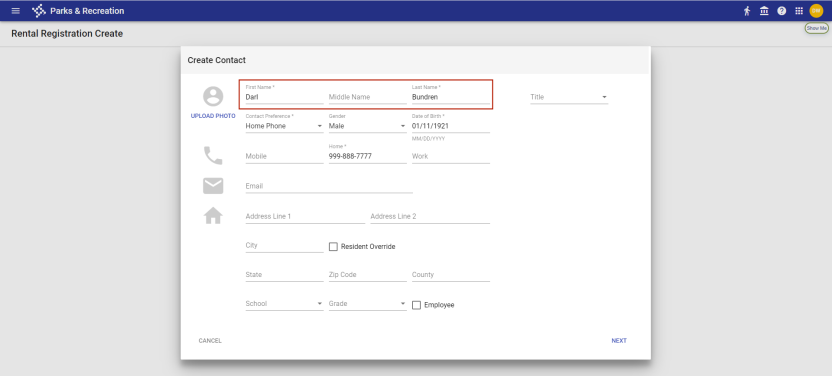
After you have entered the required contact information and clicked NEXT, the contact's name populates the Payer field:

The registration summary page includes the name of the new contact:
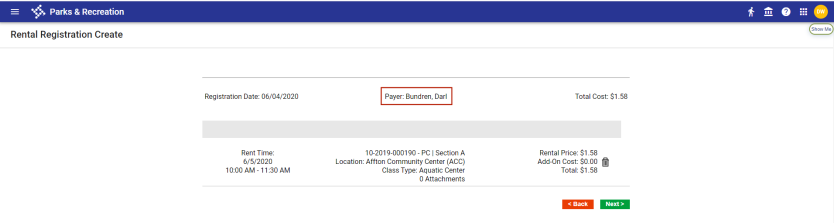
After selecting the payer, click NEXT. Confirm the current order, and click NEXT again.
The program displays a summary and payment page for review and payment.
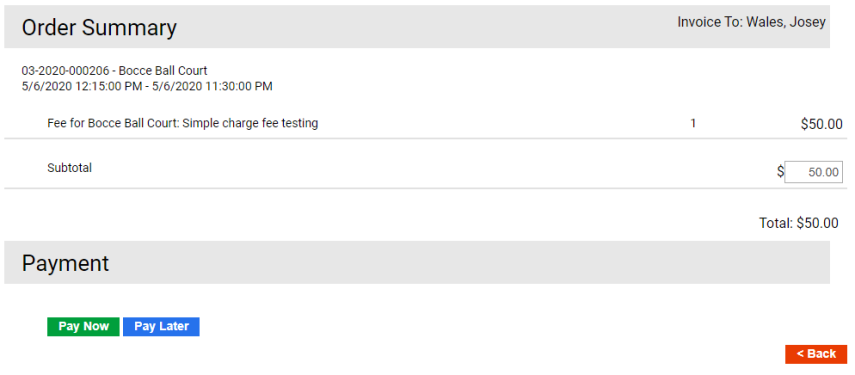
In the Order Summary section, an administrator may modify fees associated with the rental registration prior to payment.
In the Payment section, if account credit is a valid payment method for the rental, the Payment Method list includes the Account Credit option. In this case, if the payer has an account credit available, the credit can be selected as a payment method.
If the rental fees are set up to accept customer credits as payment, the Account Credit option is available from the Payment Method list, and you may apply the credit to the rental fee. If the credit amount does not cover the total rental fee, the split payment option is assigned automatically to the payment, and you must complete payment processing for the remaining balance.
If approval is required for a rental reservation and the approval is at the Pending status, the program does not permit you to accept payment on the reservation.
Click Pay Now or Pay Later to complete the registration:
- Pay Now displays a receipt page after the payment is completed. The registration receipt is sent to your designated email address.
- Pay Later displays a confirmation page from which you may view the invoice, print the confirmation, or choose to complete other registrations or purchases.
Cart Fees and Payment Methods
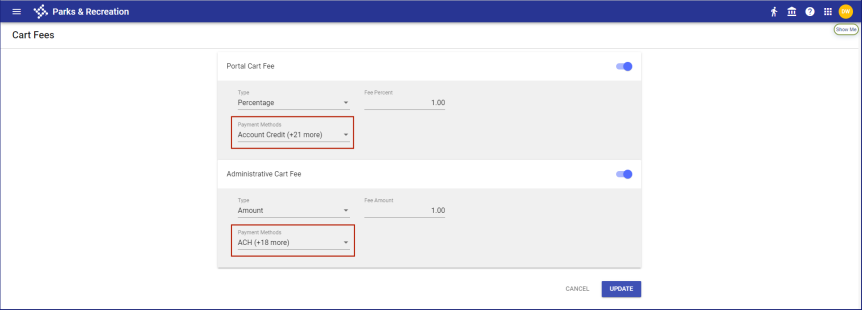
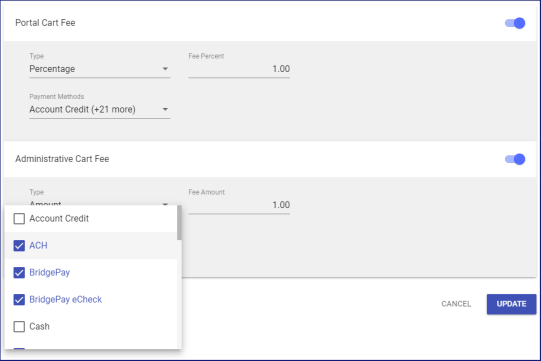
To let you apply cart fees to selected payment methods, the portal and administrative cards on the Cart Fees page in Cashier Setup (Administration > Cashier Setup > Cart Fees) provide a Payment Methods multi-select drop-down:
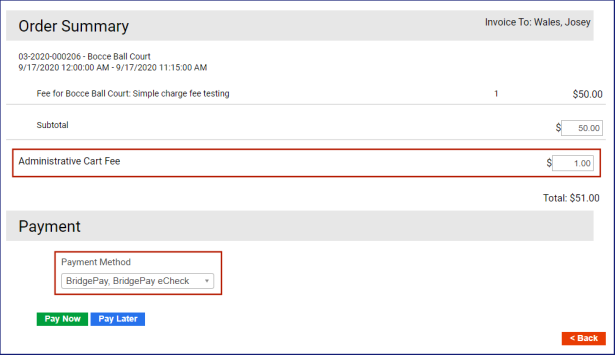
When Cashiering is disabled in Integration Settings, based on the Payment Method selected during checkout, the cart fee displays as a line item on the Order Summary and Payment page:

Order Summary and Payment
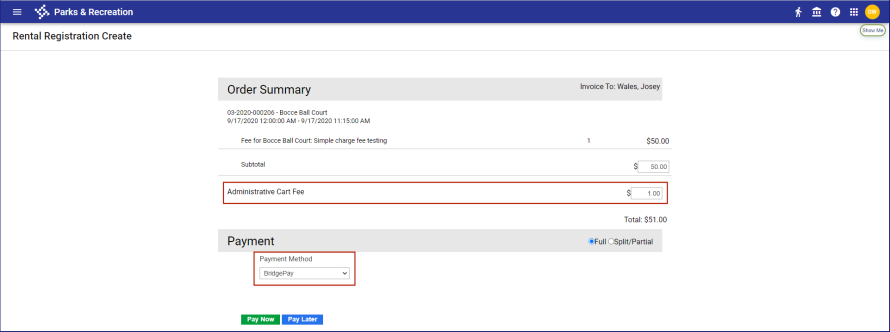
If cart fees have been applied to all payment methods, the cart fee displays automatically on the Order Summary and Payment page, regardless of the payment method selected.
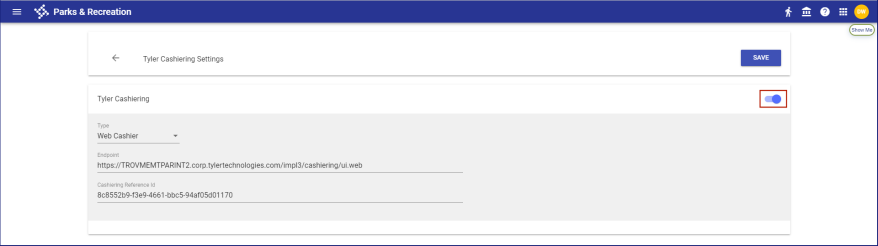
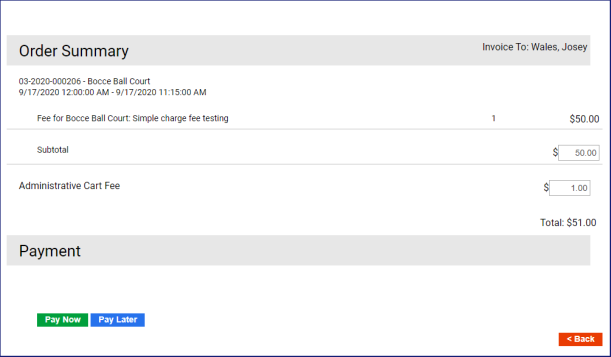
When Cashiering is enabled in Integration Settings and cart fees have been applied to all payment methods, the cart fee line item displays automatically on the Order Summary and Payment page, and the Payment Method drop-down is hidden:
Order Summary and Payment
When Cashiering is enabled and cart fees have not been applied to all payment methods, Payment Method provides a multi-select drop-down:
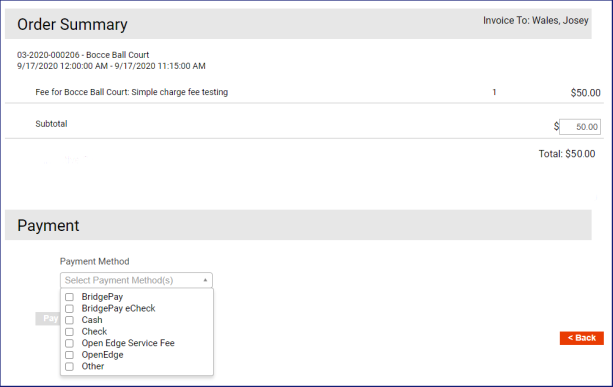
Select the payment methods that will be used in Cashiering. If cart fees have been applied to any of the selected methods, the cart fee line item displays:
This feature applies to Order Summary and Payment pages and invoicing pages in the back office and on the citizen portal.