Individuals
Parks & Rec > League Individuals > Individuals
This grid provides a view of all the individuals enrolled in leagues, their teams, roles and league names.
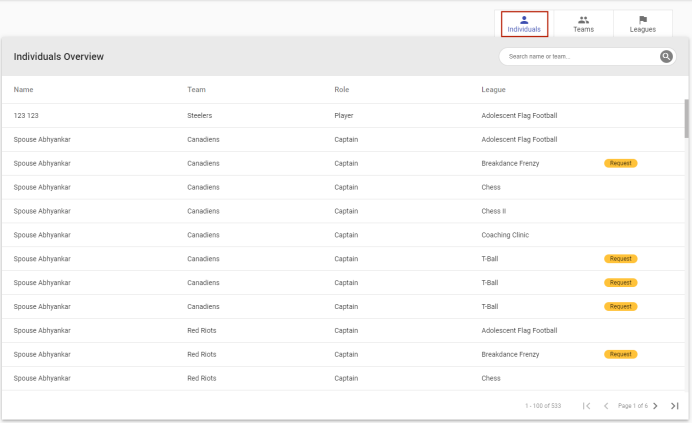
Special requests for individual registrants may be added and edited from this page.
 How to add or edit a special request
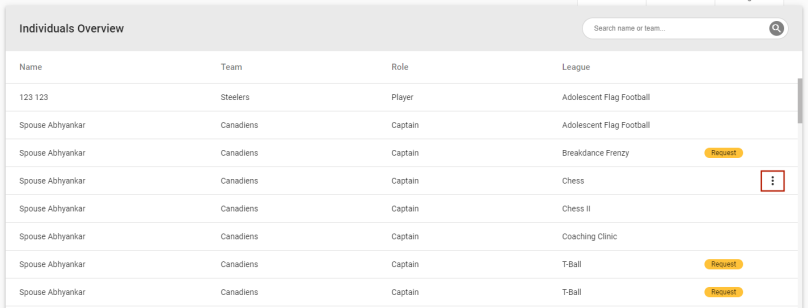
To add a special request for an individual, click the vertical ellipsis  on the far-right side of the individual's row:
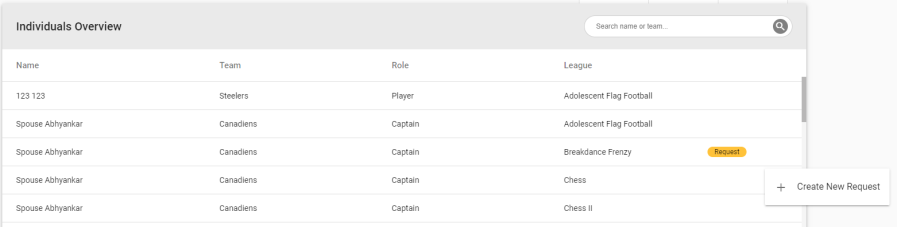
A Create New Request option displays:
Click the option to open a Special Request dialog:
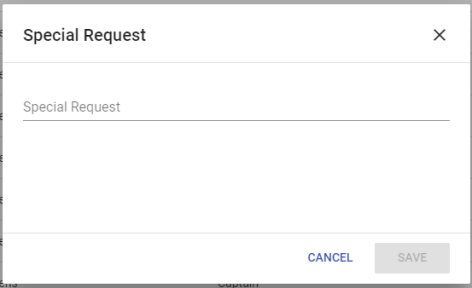
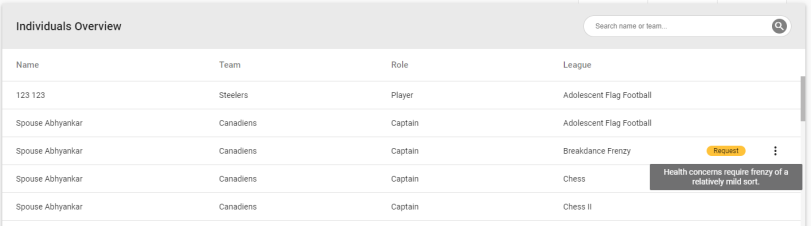
After you save the request, a gold Request marker  displays on the far-right side of the row to indicate a request is linked to the individual. Hovering over the marker displays the request text:
Once a request has been added, clicking the vertical ellipsis displays an Edit Request option:
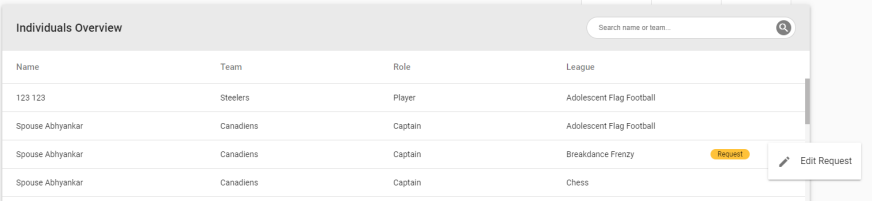
Clicking this option opens the Special Request dialog in edit mode.
The grid header contains a keyword search field for filtering information.
Tabs at the top of the page let you select the Teams and Leagues options without having to return to the main menu.