Split/Partial Payments
In the Payment Group, the Full and Split/Partial payment options are available. If the customer chooses to split the registration fee into more than one payment, select Split/Partial. The page refreshes to provide additional payment fields, and the program requires you to confirm that partial payment is being taken. The partial payment is applied to the registration, and the remaining balance is invoiced.
When an account has a credit that is less than the total amount due, the payment type automatically changes to Split/Partial so the account credit can be used. If you select Full as the payment type, the Account Credit option is not available in the Payment Method field. The Full payment option remains available, and when it is selected, the options for Invoice and Cashiering, if applicable, are available.
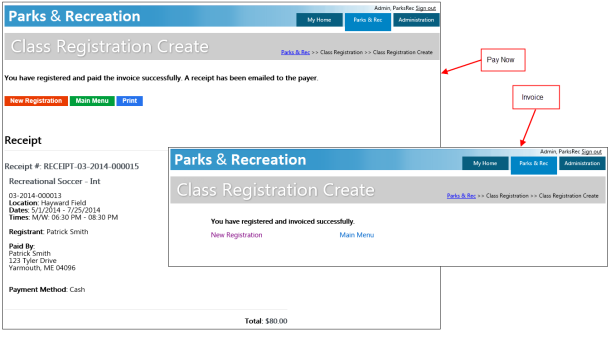
If you select Pay Now and the Email Receipt? check box is selected, the program sends a copy of the receipt to the email address provided. It also makes a printable payment receipt available. If you select Pay Later, the program displays an invoice confirmation.
Note: Payment method records with associated general ledger accounts must be available to process payments.