Programs
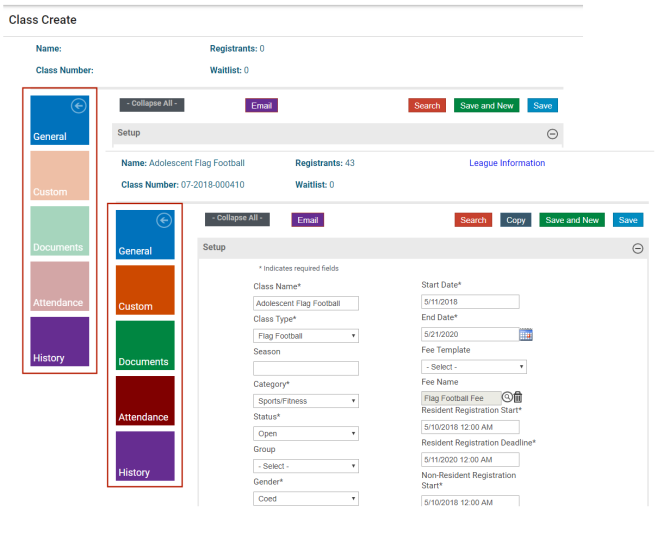
Parks & Rec includes various options associated with the programming setup and activities. These options display on the left side of the Create, Search, and Detail pages, and their availability varies according to the intended page activity; for example, the Attendance option is available for the Class Details page but not the Team Details page.
Program options include the following:
- General—Core details for the selected record. This option is the default when you display a page.
- Custom—Custom field data. Custom fields are created using Custom Fields option and assigned using the Custom Fields Layout options.
- Documents—A list of documents provided to registrants on the citizen portal or that have been uploaded by participants using the citizen portal. Reports associated with the records also may be available using this option.
- Attendance—A class list where you may indicate whether a registrant attended on a specific date. You may export the attendance to a Microsoft Excel spreadsheet.
- History—A history of changes for the selected record.
For Create pages, the colors for these options are muted, indicating that an active record to store additional information does not exist yet. For Detail pages, the colors for these options are bold to indicate they are available for use: