Payment Gateways
Administration > System Setup > Payment Gateways
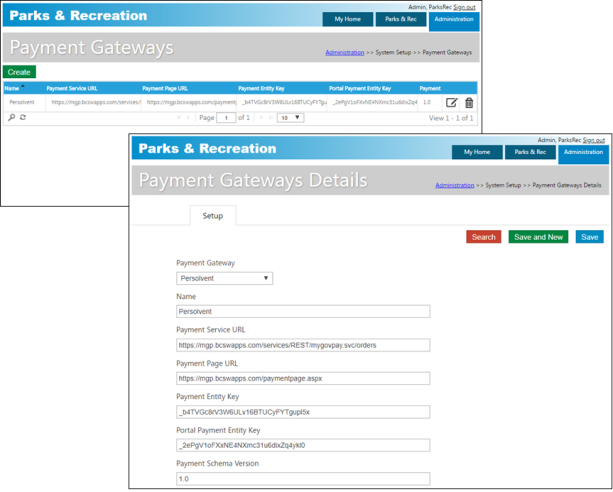
The Payment Gateways category defines the payment gateway and its settings.
During the registration payment process, selecting the Pay Now button creates a transaction with an "Unfinished" status, and a contact is added to the class only after a successful payment is made. For the OpenEdge payment gateway only, if a payment is denied by the merchant, the transaction status is updated to "Declined." If a payment is made successfully, the status is updated from "Unfinished" to "Paid in Full," and the contact is added to the class.
Payment Gateways used for credit card payments in the back office or portal will need redirect URLs provided:
Back Office
- Back Office Service: Domain/PaymentsProcessing
- Back Office Success: Domain/PaymentsProcessing/Success
- Back Office Cancel: Domain/PaymentsProcessing/Cancel
Portal
All portal redirects from payment gateways need to reference the Tenant ID after the domain name. By default, Tenant ID = Home
- Domain/TenantID/PaymentsProcessing
- Domain/TenantID/PaymentsProcessing/Success
- Domain/TenantID/PaymentsProcessing/Cancel