Class Type
Administration > Parks & Rec Setup > Class Type
Class Type describes the type of class--for example, athletic, general enrichment, or health and fitness. Class types also define teams, groups, or memberships, such as individual or family memberships.
On the Class Type Format drop-down, the League Teams type lets registrants register an entire team at one time; for example, if a hockey league is made up of individually sponsored teams, the sponsor would register the entire team at one time. The League Individuals type lets people register individually, then be assigned to a team. For the League Teams class type, the Registrants pane on the Class Details page is replaced by the Teams pane.
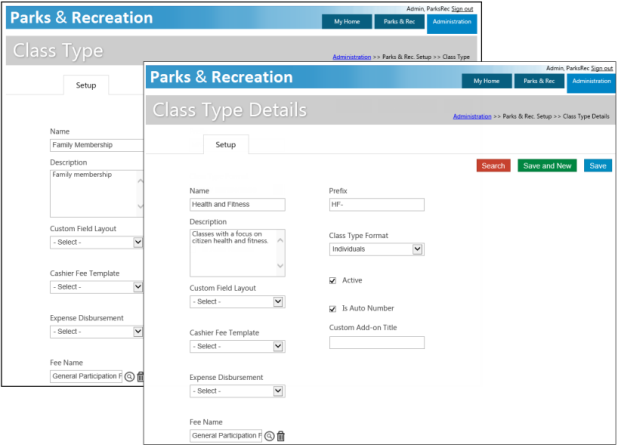
If you select an option in the Custom Field Layout field, the custom layout is assigned to all classes assigned to this class type.
The Active check box, if selected, indicates that the class type is available to be assigned to new classes or is currently assigned to existing classes. You are not able to delete class types that are attached to active class records. If a class type is not assigned to a class that is in the registration period or within the start and end dates of the class, you may inactivate the type by clearing the Active check box on the Class Type record. In this case, once the class is inactivated, the class type cannot be assigned to new classes, but it continues to display on active classes assigned to it.
The Custom Add-On Title field defines a custom name for the Add-Ons group that displays on the Class Details page for any class associated with the class type. The custom name also displays on the Summary page for administrative or citizen portal registrations. If you do not define a custom name for an add-on, the default label Add-On displays on the Class Details and registration pages.