Class Category
Administration > Parks & Rec Setup > Class Category
Class Category provides user-defined categories for activity offerings. Categories should be determined by your organization prior to completing the setup process.
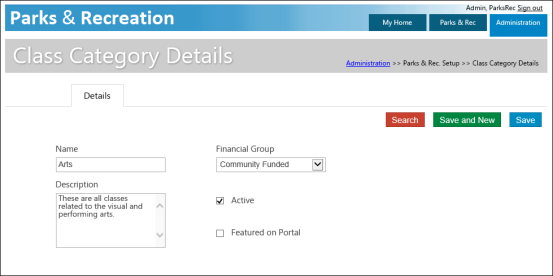
Class categories are displayed in the Activity Guide section of the citizen portal. When a user clicks a category, the list of available classes assigned to that category displays.
The Featured on Portal check box causes the category to display in the Activity Guide section of the portal home page. Selecting this check box for multiple class categories displays the categories alphabetically in an enhanced style format on the portal.