Administration
The  Administration tab provides the setup options for the Parks & Rec application:
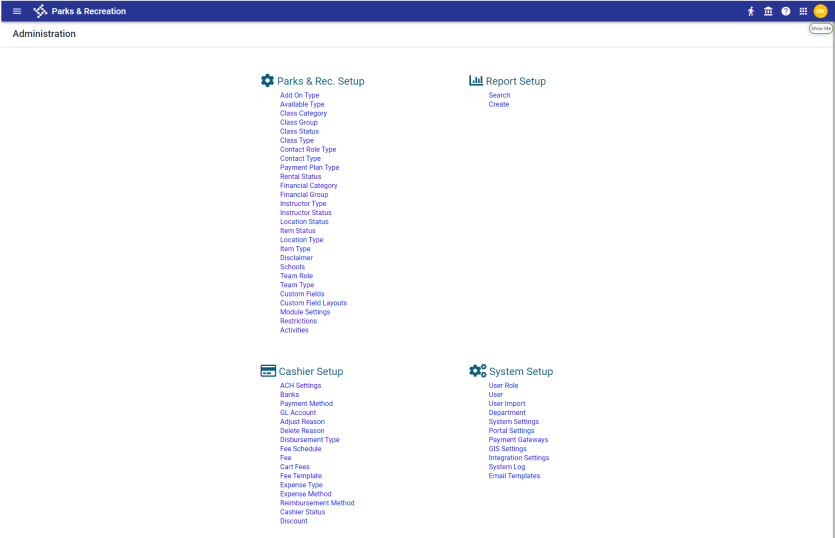
These options maintain the key settings that support the Parks & Rec offerings within your community. Complete these settings prior to completing the options on the Parks & Rec tab.
For efficiency, complete the Administration options in the order in which they are presented. In many cases, settings are based on other settings; for example, to complete the Fee page, you first must have an available Fee Schedule record.
Setup options are grouped into four categories: Parks & Rec Setup, Report Setup, Cashier Setup and System Setup. To learn about an option, click the corresponding link under the appropriate category heading below or under the Administration heading on the menu to the left.
Parks & Rec Setup
|
Category |
Description |
|---|---|
|
Records for program extras, such as T-shirts, books, supplies, and so on. |
|
|
Time schedules for programs--for example, half-day mornings or Saturdays only. |
|
|
User-defined categories for activity offerings. Categories should be determined by your organization prior to completing the setup process. |
|
|
Groups of participants within classes or groups of personnel associated with classes. |
|
|
Status codes available for activities--for example, active, inactive, on hold, and so on. |
|
|
Types of classes--for example, classroom setting, with a class type that includes associated fees. |
|
|
Identity for defined contacts--for example, instructor, bus driver, director, and so on. |
|
|
Various contact types for your organizations--for example, general staff, coach, program director, and so on. |
|
|
User-defined payment plans that may be associated with program offerings. Available payment plan types are determined by your organization. |
|
|
Status levels for rental equipment or property. |
|
|
Categories for financial expenses associated with programs. |
|
|
Groups for program-associated financing. |
|
|
Instructor type categories that may be assigned to instructor records. |
|
|
Status codes for instructors. |
|
|
Statuses of locations where programs are offered. |
|
|
Status levels for rental locations or facilities--for example, an arena or pavilion. |
|
|
Type definitions for program locations. |
|
|
Records for items associated with program offerings. |
|
|
Policy descriptions to associate with programs. The option lets you require a participant acknowledgment for the policy. |
|
|
Records for schools that may be associated with programs. |
|
|
Roles to assign to team participants--for example, player or coach. |
|
|
Type categories to assign to teams. |
|
|
Custom fields to manage additional activity, team, or rental information. |
|
|
Display positions or layouts for custom fields. |
|
|
Custom field layouts, including prefixes, for recreation contact and rental item records. |
|
|
Restrictions you may apply to contacts to prevent them from completing processes--for example, class or rental registrations. |
|
|
Scanner support. |
Cashier Setup
|
Category |
Description |
|---|---|
|
Automated clearinghouse (ACH) information needed for bank draft billing and ACH payments. |
|
|
Names and routing numbers of the banks available in the Parks & Rec application. |
|
|
Accepted payment methods. |
|
|
General ledger account details for recreation programs. |
|
|
Reasons items are adjusted. |
|
|
Reasons items are deleted. |
|
|
Supporting details for disbursements. |
|
|
Details for defined periods or schedules for fees. |
|
|
Descriptions, fee amounts, and associated general ledger accounts, if applicable. Fees are assigned according to a defined fee schedule. |
|
|
Administrative and citizen portal cart fees. |
|
|
Standard setup details that may be reused when fees are assigned. |
|
|
Expense categories according to defined types. |
|
|
Methods for managing expenses. Expense methods may require supplemental data; for example, for purchase order expenses, a copy of the requisition would be supplemental data. |
|
|
How reimbursements may be processed--for example, direct deposit, check, and so on. |
|
|
Cashier status types to assign to charges and fees. |
|
|
Discounts that may be applied to individual classes, rentals and memberships. |
System Setup
|
Category |
Description |
|---|---|
|
Roles for Parks & Rec users--for example, administrators, staff, or volunteers. The Rights tab provides the permissions available to assign roles. |
|
|
Records for individual users who are assigned to established user roles. |
|
|
Import options for comma-separated values (.csv) files containing user records. |
|
|
Department categories for the organization. |
|
|
System, email, and report settings for the Parks & Rec application. |
|
|
Settings for the citizen portal of Parks & Rec. Settings include customized logo and background options and messaging specific to your organization or current activities. |
|
|
Payment gateways and their settings. |
|
|
The URL and map details that manage the map display on the main page, including the area of interest and zoom scale settings. |
|
|
Type of export files created for the export options in Transaction on the Parks & Rec tab. |
|
|
A log for system activity, which can be exported directly to Microsoft Excel. |
|
|
Central location for the management of email templates used to draft custom emails that are sent automatically when various events occur. |
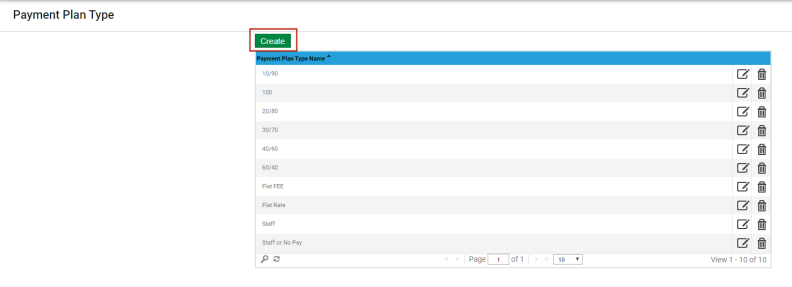
When you first select a setup option, the page displays without records. Click Create on each page to define the records needed to manage your organization’s Parks & Rec programs: